

TRIANGULAR SAW FILES
PFERD saw files for sharpening saw blades
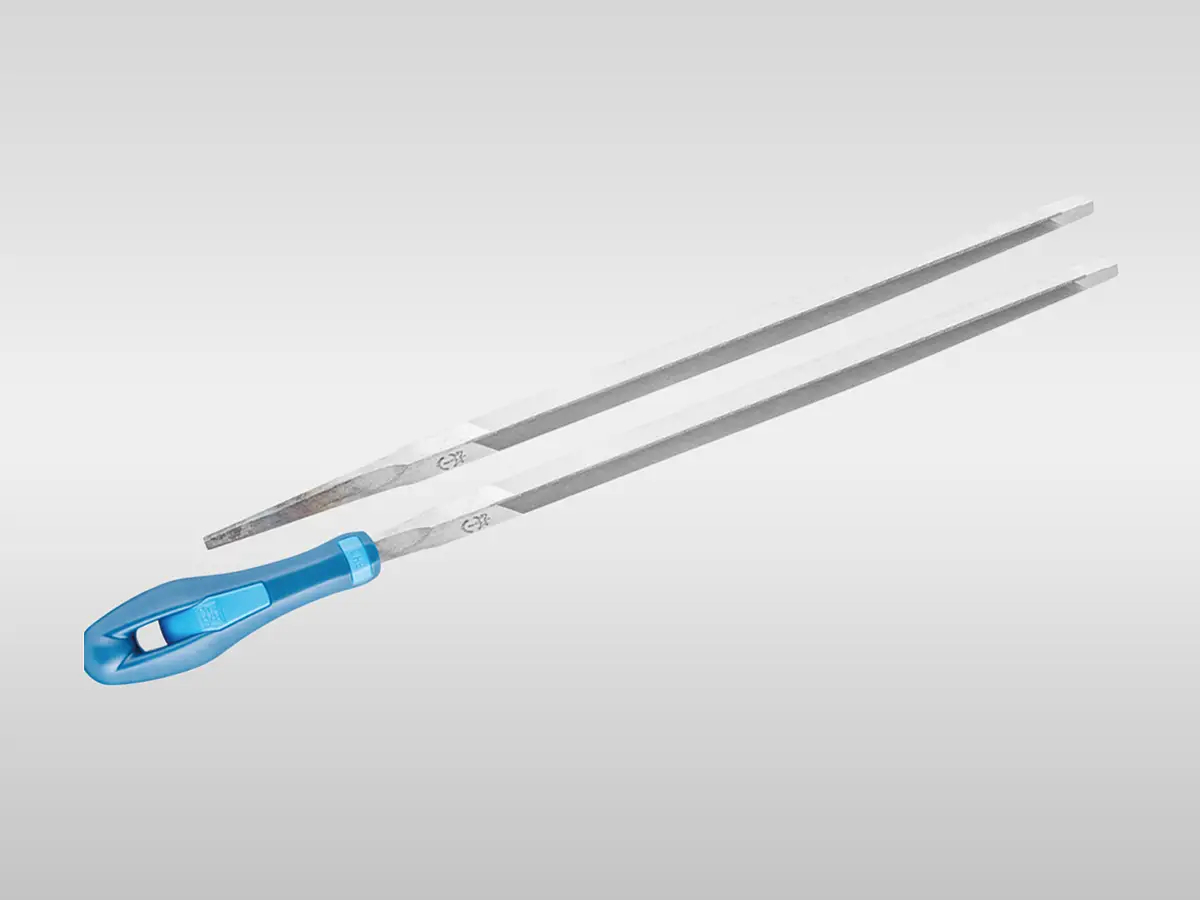
PFERD saw files are hand files for sharpening saw tools. Choose the file shape to suit the blade and tooth geometry; length, cross-section and handle must suit the task.
01
Selection criteria
Which saw teeth need sharpening?
Start with the existing saw blade: tooth shape, tooth size and access determine the file cross-section required. PFERD distinguishes normal, slim, extra slim and double extra slim saw files. For band saw blades, the catalogue lists band saw files with rounded cut edges; the circular saw file has an unequal-sided triangular cross-section. Also compare the length and handling of the file you currently use. Cut 2 is described as a single cut for general sharpening.
02
PFERD SAW FILES
PFERD saw files in the range
The system listing shows the assigned PFERD sharpening files and their versions. Check the shape, length and cross-section of each product against your saw blade.
No products found
No products are currently listed in this category. Request a call back and we will help you find the right product.
Request a callback03
SELECTION BY SAW BLADE
Match file shape to tooth geometry
A slimmer triangular file is not automatically the better choice: it must reach the tooth profile and suit the saw you use. PFERD offers saw files in graduated cross-sections, along with separate shapes for band and circular saws. Band saw files have rounded cut edges; the circular saw file has an unequal-sided triangular cross-section. First compare your current file and actual sharpening result with the blade shape. Then choose the length, cross-section and suitable handling.
According to PFERD, industrial packs are supplied without a handle; some POS versions include an ergonomic file handle. If the shape or handle is unclear, tell us the saw type, tooth profile and file you currently use in your enquiry. For other sharpening tasks, see PFERD sharpening files; for a separate handle, see PFERD file handles.
04
SAW FILE QUESTIONS
How do I choose the width of a PFERD saw file?
Use the tooth profile of the existing saw blade and access to the flanks that need sharpening. PFERD offers triangular saw files in normal, slim, extra slim and double extra slim versions. These names distinguish file cross-sections; the saw itself determines which one fits. Compare your current file with the tooth and check whether its faces reach the intended flanks. Length also affects handling. Tell us the saw type and file you currently use if the choice remains unclear.
What does cut 2 mean on these sharpening files?
Cut 2 denotes the single cut that PFERD describes for general sharpening. It is not the same as the grit size of a coated abrasive. The catalogue lists saw file families with this cut; their main differences here are shape, cross-section, length and whether a handle is included. First check how the file fits the saw blade, then check the particular product version. If your current sharpening result is unsuitable, details of the saw and file you use will help us review the selection.
When should I consider a band saw file or a circular saw file?
A band saw file may suit the saw blades described in the PFERD catalogue; it is triangular and tapered, with a cut on three faces and rounded cut edges. The circular saw file has an unequal-sided triangular cross-section. These are not universally interchangeable versions of a standard saw file. What matters is the actual tooth geometry and whether the file faces reach the intended areas. Describe the saw type and tooth profile before selecting another file shape.
Do I need a separate handle for a PFERD saw file?
That depends on the version supplied. PFERD describes saw files in industrial packs without a handle; the specified POS versions include an ergonomic file handle. Compare the specific product version and any handle you already have instead of assuming that every saw file comes with the same equipment. The catalogue identifies suitable handles for individual files. If you choose a file without one, check the handle fit before use. See PFERD file handles for the related accessories.
05
Request advice
Describe the saw type, tooth profile, file you currently use and the sharpening result you need. We can review the shape, cross-section, length and version with or without a handle with you.
Discuss the file for your saw blade
If your current file does not suit the tooth profile or sharpening result, talk to us about a suitable version. You can enquire about specific products through the enquiry list.

SAW FILE ADVICE
Jürgen Müller
Contact for products
Jürgen Müller can discuss your saw blade, current file and suitable version with you.
Advice and sales to business customers only!