
PRECISION FILES · TOOL AND MOULD MAKING
PFERD precision files for tool and mould making
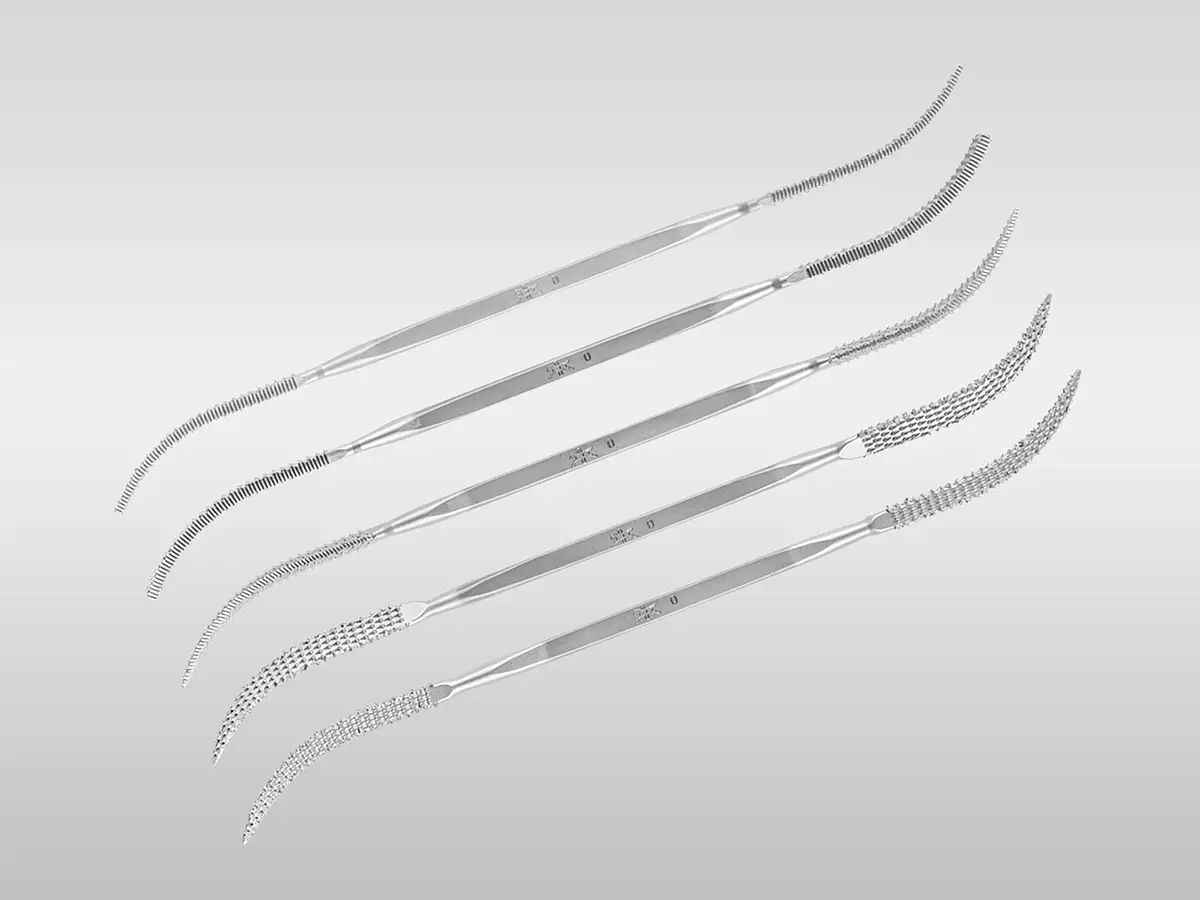
When contours, edges or hard-to-reach areas need precise finishing, the file profile determines how the tool meets the workpiece. Choose PFERD precision files by profile, Swiss cut, dimensions and the material to be worked.
01
Selection criteria
Choose precision files by contour and cut
Start with the area of the workpiece: flat surfaces and straight edges call for different profiles from internal contours or tight angles. The listed range includes square, half-round and barrette profiles. Then compare the length, cross-section and Swiss cut of the specific version. The PFERD catalogue distinguishes precision files from workshop files by their more accurate geometry; the number of teeth also depends on file length.
02
PFERD PRECISION FILES
PFERD precision files in the range
The listing shows PFERD precision files with different profiles, lengths and Swiss cuts. Check the details of each version against your finishing task.
| Title | Price |
|---|
03
CHOOSING FOR FINE CONTOURS
Which file suits the finishing task?
A square file meets straight internal edges differently from a half-round file on curved contours. The range also includes a barrette profile for fine contour work. First choose the working profile for the accessible geometry; then match the cut and dimensions to the desired material removal and surface condition. When enquiring, tell us the material, starting condition, target contour and the problem with the file currently in use. This allows us to check a suitable version against its product data.
04
QUESTIONS ABOUT PRECISION FILES
How do PFERD precision files differ from workshop files?
According to PFERD, precision files have more accurate geometry than workshop files. They are used particularly in fixture and tool making when contours and surfaces need controlled finishing. The file type alone is not enough to make a selection: the accessible workpiece geometry, file profile, Swiss cut and dimensions all need to fit. Compare the specifications of the actual version in the range with your finishing task before choosing it.
How do I choose the profile of a PFERD precision file?
Choose the profile for the area the file must reach and follow. The range includes square, half-round and barrette profiles, for example. A half-round profile can meet curved contours differently from a square profile at straight internal edges. Also consider the available space on the workpiece and the dimensions of the file. If the file you currently use slips, is too wide or cannot reach a contour, describe that exact starting situation in your enquiry.
What does the Swiss cut of a precision file indicate?
The Swiss cut describes the file's teeth. PFERD's cut table lists teeth per unit of length and differentiates the values by file type and length. A cut designation on its own therefore describes neither the right profile nor the result on your workpiece. Compare the available cuts within a suitable file profile and check the product information for the material. The initial surface and the desired amount of material removal also matter in fine finishing.
05
Request advice
Describe the material, contour, file currently used and the desired finishing result. Our abrasives team can help narrow down the profile, cut and dimensions for your specific application.
Enquire about a file for your contour
Send us your finishing task and workpiece details. We will review a suitable PFERD version with you.

PRECISION FILE ADVICE
Jürgen Müller
Contact for products
Discuss the profile, cut and workpiece with Jürgen Müller from our abrasives team.
Advice and sales to business customers only!